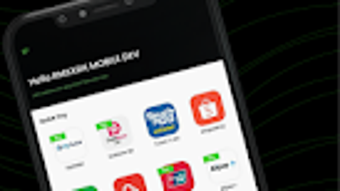

Download RMS Virtual Terminal – payment processor, mobile payment app, accept payments, smartphone payment solution, e-wallet, credit card processing, debit card processing, payment links, sub-account system, small business tools, business growth, remote payments
Overview
RMS Virtual Terminal is a mobile payment application designed to transform smartphones into portable payment processors. Developed by Razer Fintech, the app enables users to accept payments across a wide range of methods, including credit and debit cards, e-wallets, and payment links. Its primary purpose is to provide small to medium-sized businesses with a flexible, scalable, and cost-effective way to handle transactions on the go. The software is especially suited for entrepreneurs managing multiple sub-businesses or branches, as it includes a sub-account system that supports centralized control and operational efficiency.
The app addresses common challenges faced by mobile vendors, pop-up retailers, and service providers who need to process payments without relying on fixed point-of-sale hardware. By leveraging smartphone technology, RMS Virtual Terminal allows users to conduct transactions anytime and anywhere, making it ideal for field-based operations, freelance services, and event-based sales. The setup process is streamlined, requiring only three steps to begin accepting payments immediately. This reduces the barrier to entry for businesses looking to digitize their payment workflows quickly.
Although the developer did not provide additional background on Razer Fintech, the app’s focus on scalability—supporting up to 1,000 sub-accounts at minimal cost—suggests a strong emphasis on long-term business growth. The application is available on both Android and iOS platforms, indicating broad accessibility for users across different ecosystems.
Key Features & Capabilities
- Multi-Channel Payment Acceptance: Supports over 100 payment methods, including major credit and debit cards, e-wallets, and digital payment links, enabling seamless transactions across diverse customer preferences.
- Sub-Account System: Allows businesses to create and manage multiple sub-accounts, ideal for tracking sales, expenses, and performance across different branches, departments, or business units.
- Instant Setup Process: Users can begin accepting payments in under three steps, minimizing onboarding time and enabling immediate operational use.
- Remote Payment Processing: Facilitates secure, real-time transaction processing from any location, supporting mobile vendors, freelancers, and on-site service providers.
- Scalable Infrastructure: Designed to support up to 1,000 sub-accounts, making it suitable for growing businesses that require flexible and affordable payment management.
These features empower users to adapt to dynamic business environments. For example, a food truck operator can use the app to accept payments at multiple events, while a multi-location retail business can track revenue per location through individual sub-accounts. The ability to generate and send payment links also enhances customer convenience, particularly for online or delayed transactions. The app’s integration with e-wallets ensures compatibility with modern digital payment habits, increasing conversion rates and customer satisfaction.
User Interface, Workflow & Performance
The user interface of RMS Virtual Terminal appears designed with simplicity and efficiency in mind, prioritizing intuitive navigation and quick access to core functions. Users can expect a clean layout with clearly labeled sections for initiating payments, viewing transaction history, managing sub-accounts, and accessing support. The workflow is structured around a minimal number of steps, aligning with the app’s promise of fast setup and immediate usability.
Navigation is likely optimized for touch-based interaction, with large buttons and visual feedback to reduce input errors. Transaction initiation involves selecting a payment method, entering the amount, and confirming the process—steps that are standard in mobile payment apps. The app’s performance is expected to be responsive, given its lightweight size of 45.2 MB, though exact resource usage details were not specified.
Stability and reliability are likely maintained through regular updates, as the app is actively maintained with version 3.1.2 released in March 2024. However, performance observations are based on general software behavior patterns, and specific metrics such as CPU or RAM usage were not provided. Users should expect consistent operation under normal usage conditions, with minimal lag during payment processing.
Compatibility & System Requirements
RMS Virtual Terminal is available for both Android and iOS operating systems, ensuring broad accessibility across major mobile platforms. The app is compatible with devices running the latest versions of these systems, although specific minimum OS versions were not listed. Installation size is 45.2 MB, indicating a lightweight footprint that does not significantly impact device storage.
Exact system requirements were not listed, so users should refer to their device’s official compatibility guidelines. The developer did not specify hardware requirements such as processor speed or RAM, nor did they detail supported screen resolutions or connectivity needs. Platform compatibility information is limited to the two major mobile ecosystems, with no indication of desktop or tablet support.
For users seeking to deploy the app across multiple devices or teams, the sub-account system suggests a need for consistent access across different devices, which may require account synchronization and login credentials.
Pros and Cons
Pros
- Free to download and use, reducing upfront costs for small businesses.
- Supports over 100 payment methods, including credit/debit cards and e-wallets.
- Includes a scalable sub-account system for managing multiple business units.
- Lightweight design (45.2 MB) with fast setup and minimal storage impact.
- Enables remote payment processing from any location with internet access.
Cons
- Exact system requirements were not specified, which may affect compatibility verification.
- Performance metrics such as CPU or RAM usage were not disclosed.
- Only available on mobile platforms; no desktop or tablet version is currently offered.
- Limited information on security protocols and data encryption practices.
- App functionality may depend on stable internet connectivity for real-time processing.
FAQ Section
Is RMS Virtual Terminal available for both Android and iOS?
Yes, the app is available on both Android and iOS platforms, allowing users to access its payment processing features across different mobile ecosystems.
Is the app free to use?
Yes, RMS Virtual Terminal is offered at no cost to users. There are no subscription fees or hidden charges associated with the basic functionality.
Can I use RMS Virtual Terminal offline?
While the app may allow some local data storage, transaction processing requires an active internet connection. Offline use is not supported for real-time payment validation.
How many sub-accounts can I create?
The app supports up to 1,000 sub-accounts, enabling businesses with multiple branches or departments to manage operations efficiently under a single account.
What kind of updates does the app receive?
RMS Virtual Terminal receives regular updates to improve performance, security, and feature availability. The latest version, 3.1.2, was released on March 15, 2024.
Final Thoughts + CTA
RMS Virtual Terminal stands out as a practical, scalable solution for entrepreneurs and small businesses seeking a flexible way to accept payments using only a smartphone. Its ability to support a wide range of payment methods, coupled with a robust sub-account system, makes it ideal for businesses with multiple units or remote operations. The app’s lightweight design, free pricing model, and quick setup process further enhance its appeal for users who prioritize agility and cost-efficiency.
While some technical details such as system requirements and performance metrics are not publicly available, the app’s core functionality is well-aligned with modern mobile commerce needs. For small business owners, freelancers, and mobile vendors, RMS Virtual Terminal offers a powerful tool to streamline payment workflows and support business growth.
Download RMS Virtual Terminal now to turn your smartphone into a full-featured payment processor and take your business wherever you go.







